
New Nova R5 has a slick new user experience, with AI integration via its built-in assistant or the MCP protocol…
The edge, connected.
Nova is the next generation communications, networking and visualization platform. It talks to your industrial devices, moves data to the systems that need it, secures your network, and presents data via compelling visualizations. Run it on the Intel or ARM based hardware you choose, configure it entirely from your browser, and ask its built-in AI assistant anything along the way.
3,500+
Nova devices deployed
in the field
50+
device drivers and data connectors
500,000
tags browsed from a single Allen-Bradley PLC
1–2 weeks
between feature releases
The platform
Everything for the edge, all in one place.
Six subsystems, each in its own isolated container, working together on one device and managed from one web interface.
Communications
Read from PLCs, drives, meters and engines via more than fifty protocols, then push the data to MQTT brokers, SQL databases, historians or the cloud.
Networking
Bridging, VLANs, firewalling and NAT, with Wireguard, Tailscale, IPsec and OpenVPN tunnels for secure remote access, and failover when a link drops.
Visualization
Build HTML5 visualizations with scalable symbols and animations, and show them on a local kiosk or on any browser on the network.
Containers & SDK
Run your own Python or JavaScript, or add Node-RED, Mosquitto or PostgreSQL in a few clicks. Examine files and open a Linux console right in the browser.
Device Management
Enroll your Nova devices in the Vantage Device Manager hosted in the cloud or on-premises. View status, update firmware, and manage configurations, with no inbound connection needed.
Secure by Design
A minimal base system, isolated containers, signed firmware and a full history of every configuration change, kept up to date with frequent releases.
How it fits together
From the machine
to the enterprise.
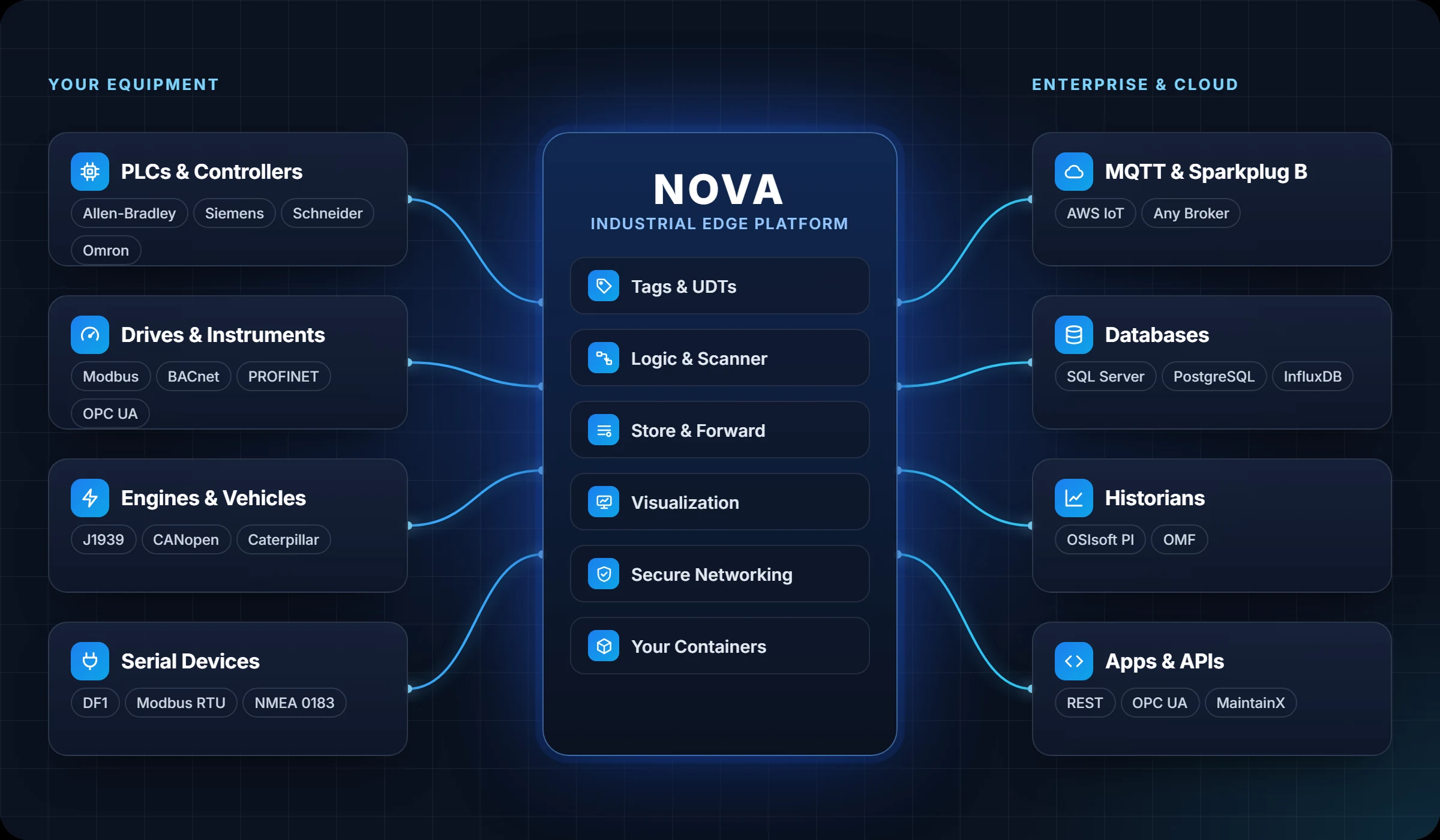
Nova sits between your equipment and the systems that run your business. It reads the devices, makes sense of the data at the edge, and delivers it securely to wherever it’s needed.
Communications
Speaks your
devices’ language.
Nova reads and writes the controllers, drives and instruments that are already on your plant floor, from the newest PLCs to serial devices that have been running for decades. It handles every data type with support 64-bit floating point values and integers, plus strings, JSON and user-defined types, allowing a whole PLC structure moves to be moved in one step.
- Browse tags and UDTs straight from the device, from Allen-Bradley, Siemens and Schneider controllers
- Push north over MQTT and Sparkplug, or to SQL Server, PostgreSQL, InfluxDB and Aveva PI
- Never lose data with store and forward buffering to disk whenever the link is down
- Allen-Bradley EtherNet/IP
- Siemens S7
- Modbus TCP & RTU
- OPC UA
- MQTT
- Sparkplug B
- BACnet/IP & MS/TP
- PROFINET
- Schneider UMAS
- Omron FINS
- GE SRTP
- Opto 22
- CANopen
- J1939
- SNMP
- REST APIs
- SQL Server
- PostgreSQL
- InfluxDB
- OSIsoft PI
- AWS IoT
- Caterpillar CDL
- ABB TotalFlow
- Allen-Bradley DF1
- Mettler Toledo
- NMEA 0183
New in Nova
An interface that
works like an app.
The redesigned web interface puts the whole device on one screen, with a details panel beside every table. The simple but informative layout lets
you see what’s happening without hunting through menus.
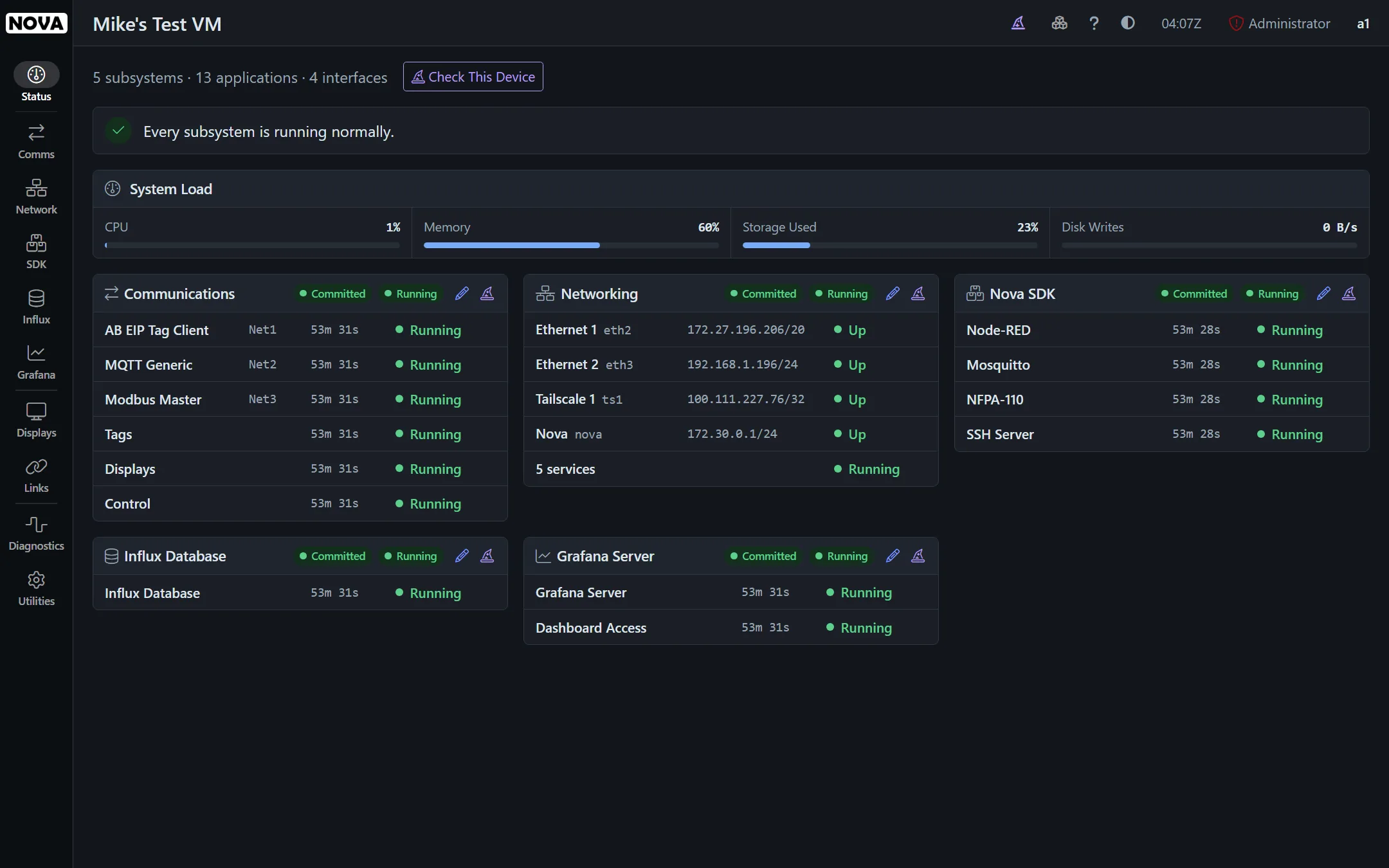
See every subsystem at a glance
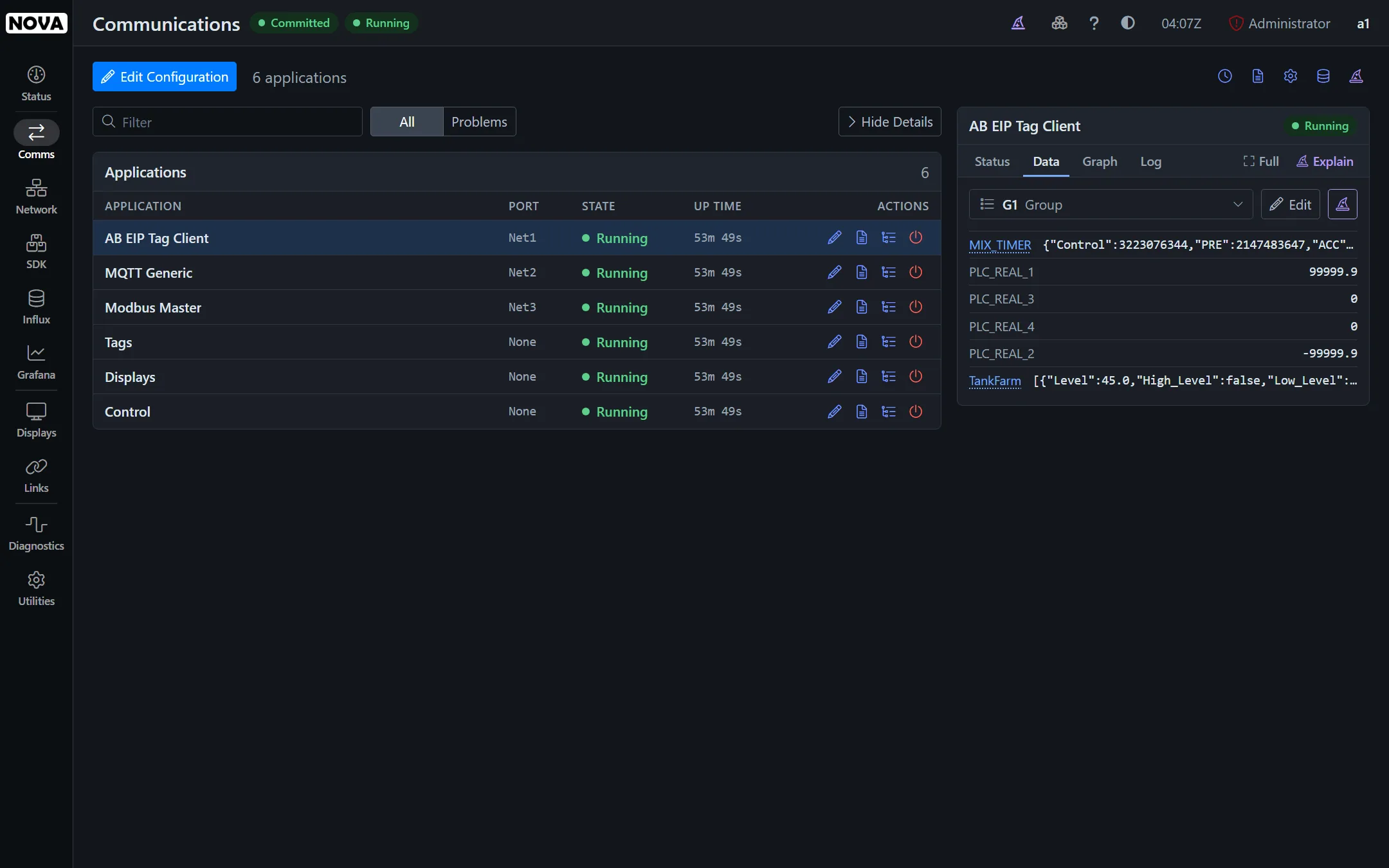
Each subsystem has a page of its own, with every application, interface, container and service listed together with its status. Pick one and the panel beside it shows more details, plus live data, traffic graphs, and an event log.
- Live graphs of the last hour’s network, processor and memory usage, sampled every ten seconds
- Filters and a Problems view that let you see what matters on even the complex configuration
- Dark, light and high contrast schemes, to suit your tastes and your working environment
Container files and console access
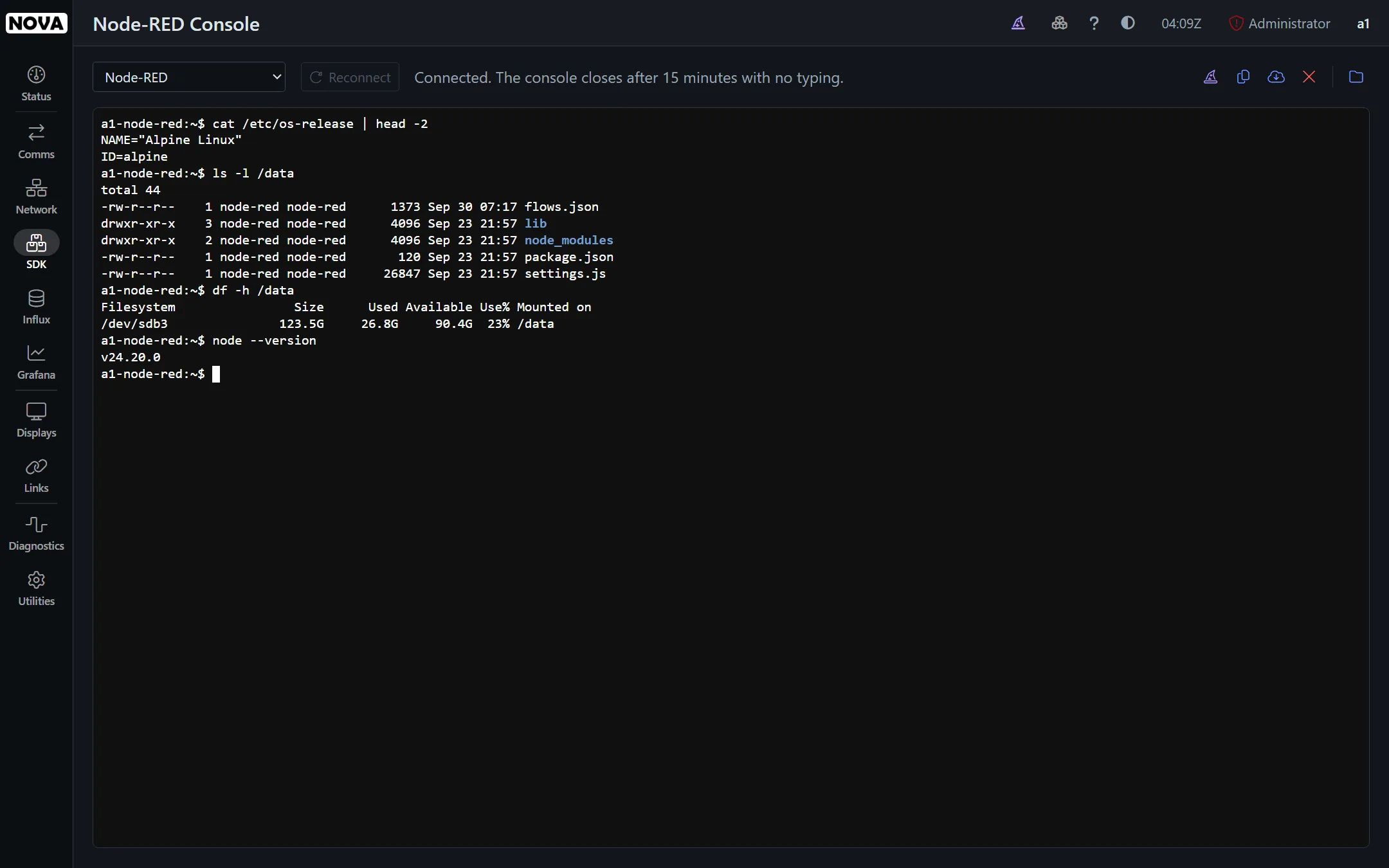
Every Docker container and SDK service shows its state, address, up time and resource use. You can explore the container’s filing system, or open a Linux shell inside it, all without leaving the browser.
- Recreate a container or pull a newer image with one click
- Linux shell inside the container gives you total control
Every change, on the record
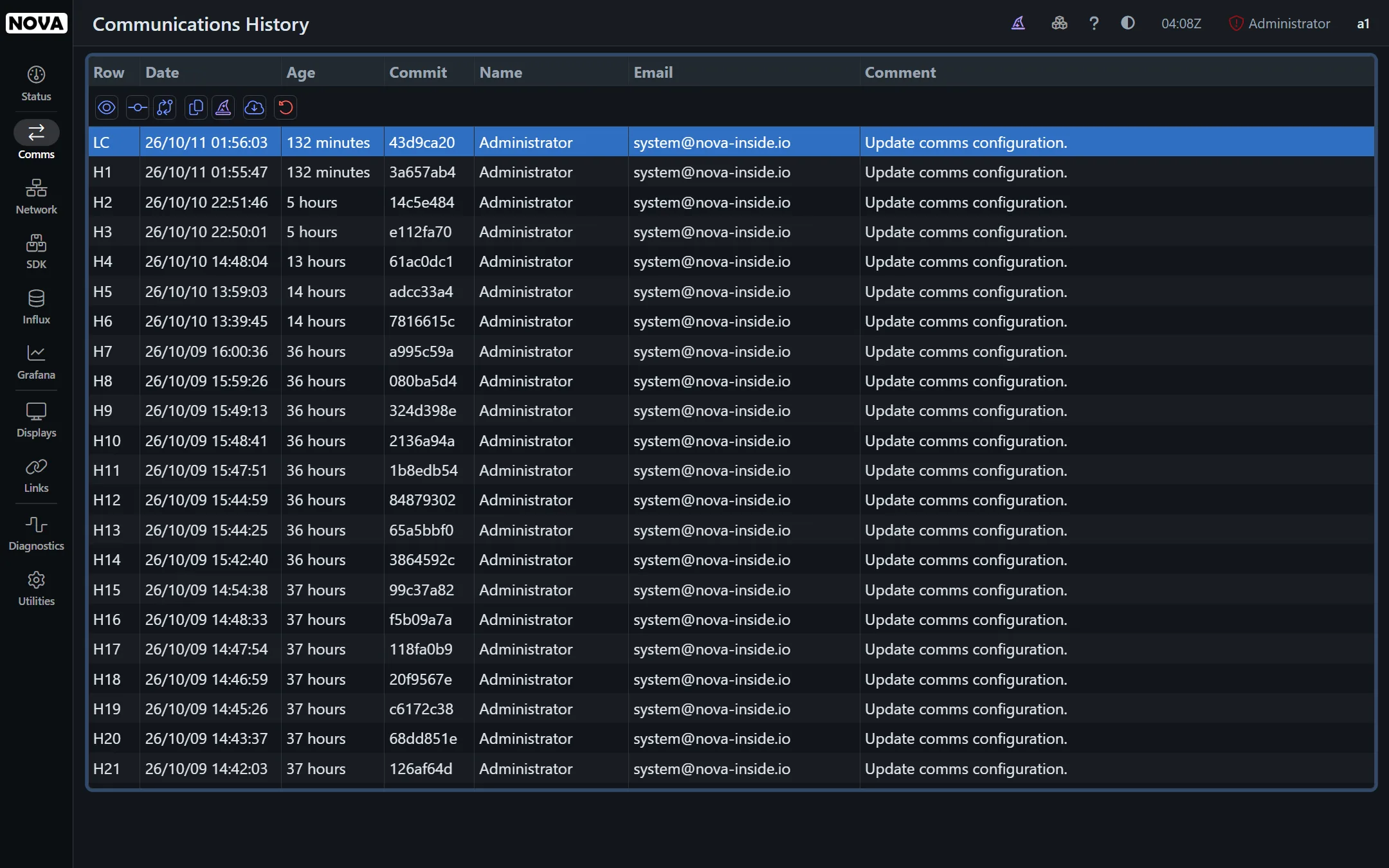
Every commit of every configuration is kept, together with who made it and when. Step through the history, compare any two versions, and revert changes in seconds.
AI assistant
An AI assistant that knows Nova.
Ask about anything on the screen. The built-in AI assistant reads the
device’s configuration, its status and its logs, so the answers you get
are specific to your system and your environment. Or use MCP to integrate Nova with your favorite AI agent.
Explain a Configuration
Get a plain-English account of what a protocol, interface or container is set up to do, and why.
Explain a Change
See what any commit changed from the one before it, and what that change means for your system.
Check the Device
Have the assistant look at every subsystem’s status and logs, and point out anything that needs attention.
Deployment
Runs on the hardware you choose.
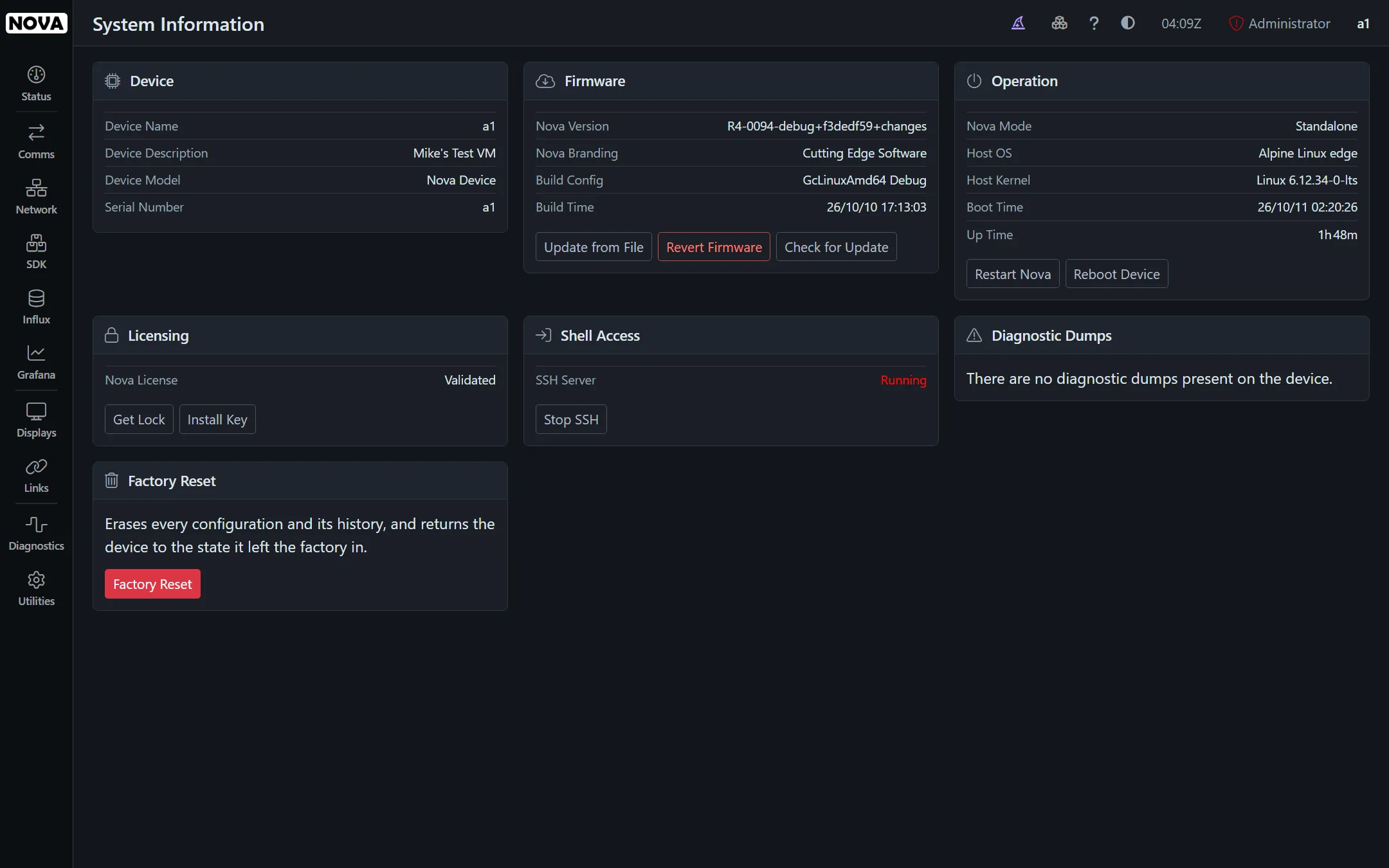
Nova runs on any Intel or ARM device that meets a few basic requirements, from touchscreen panel PCs to low-cost gateways and virtual machines. It will run on just about any Linux distro, but if given a choice, we prefer a lean Alpine Linux base to keep the base system simple and secure
- Generic PC, Generic ARM and Raspberry Pi images
- Release rings let choose the rate of change you want
- Firmware reversion lets you undo any update
Device Management
Manage the whole fleet from one place.
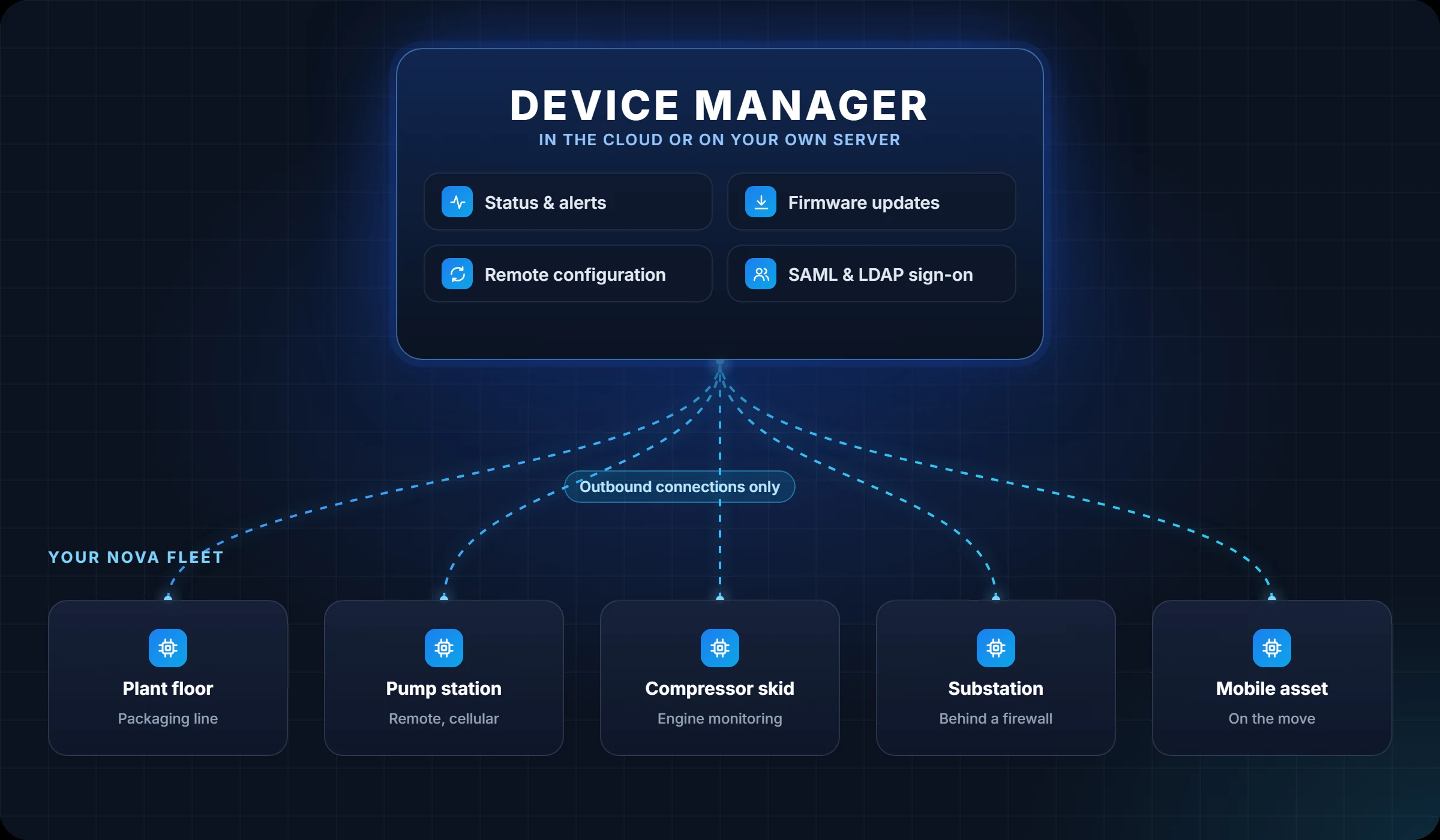
Enroll your Nova devices in the Vantage Device Manager hosted in the cloud or on your own server. See each device’s status, update its firmware and edit its configuration as if you were connected to it. Only the changes are sent, and no inbound connection to the device is required.
- Email alerts for trouble conditions on any device
- Two-way configuration sync with shared history
- Enterprise identity with SAML, LDAP and RADIUS
See it in action
Watch Nova at work.
Short tutorials on our YouTube channel walk through real configurations, end to end.
Linking two gateways with an IPsec tunnel
Display improvements: symbols, master pages and more
See Nova on your own equipment.
We’ll help you set up an evaluation with your devices and your network, and show you how Nova fits your application.